Supercharge Your
Apple Shortcuts
The management layer Apple never built. Understand your dependencies, schedule complex workflows, compose self-contained shortcuts, and back up your whole library — with optional AI when you want it.
Local-first by design — your shortcut library lives on your Mac, not our servers.
Free Trial
Every feature, free for 14 days.
Not sure which chip you have? Apple menu → About This Mac.
Requires macOS Sequoia or later · v1.4.4
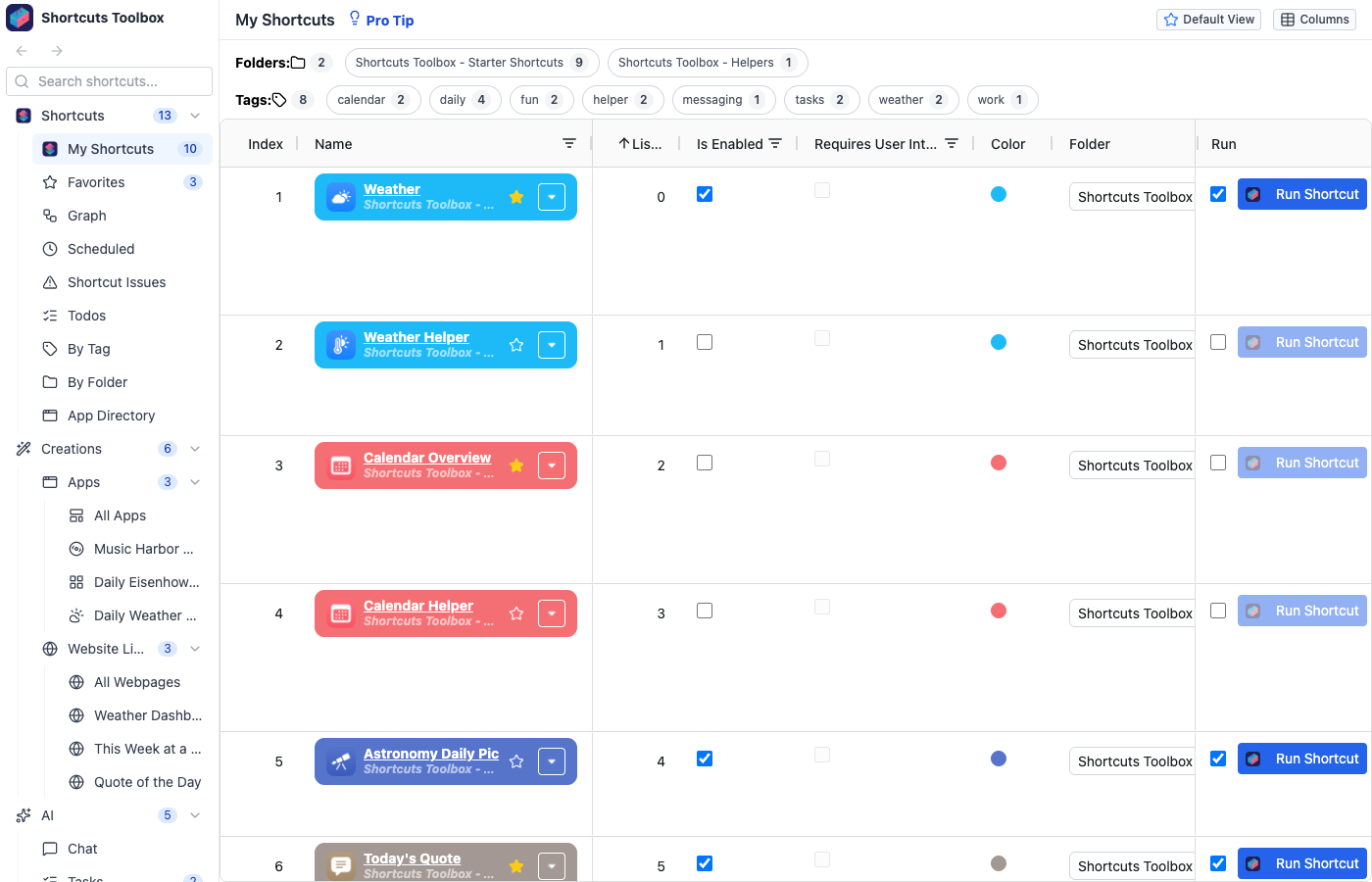
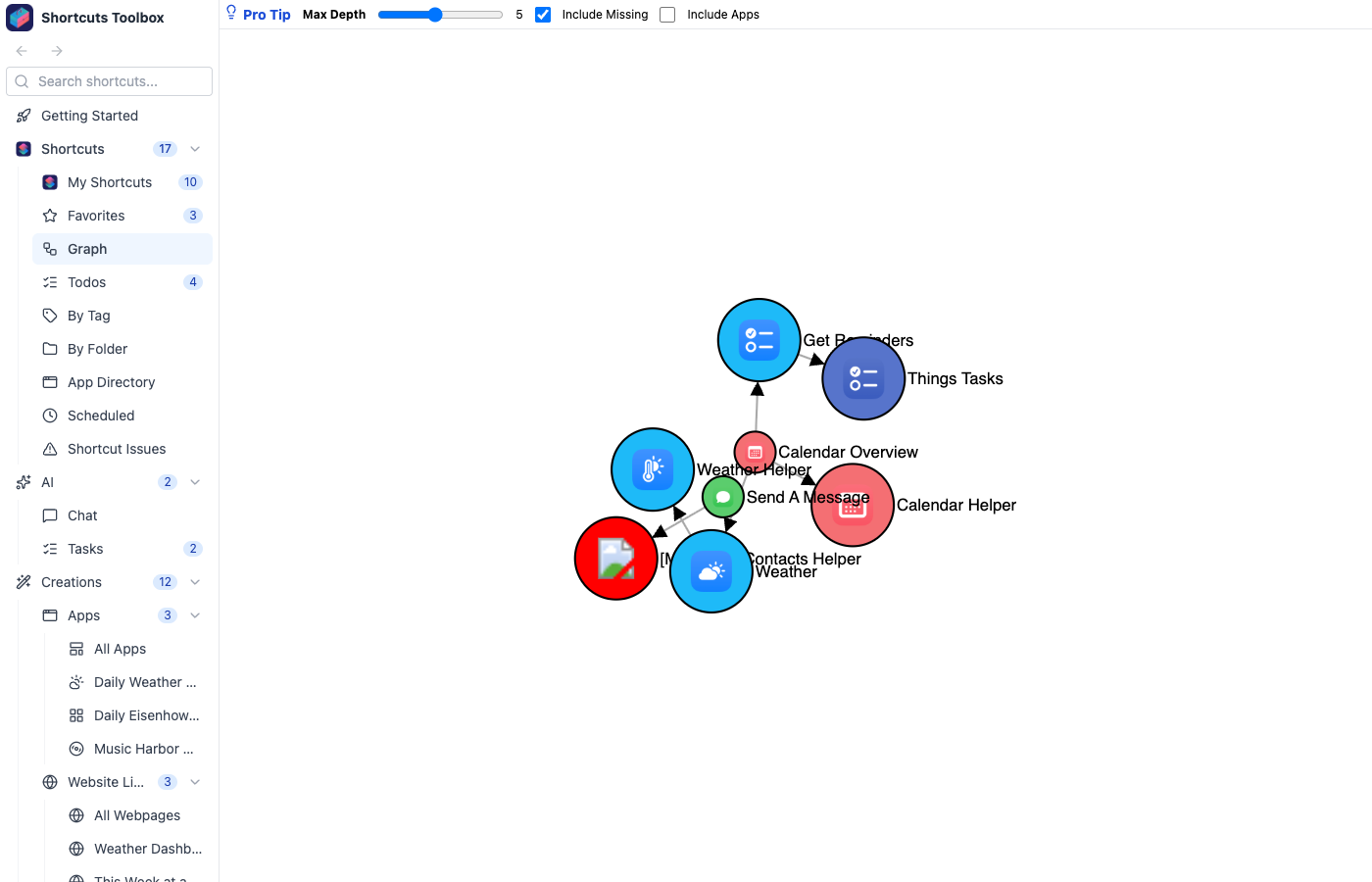
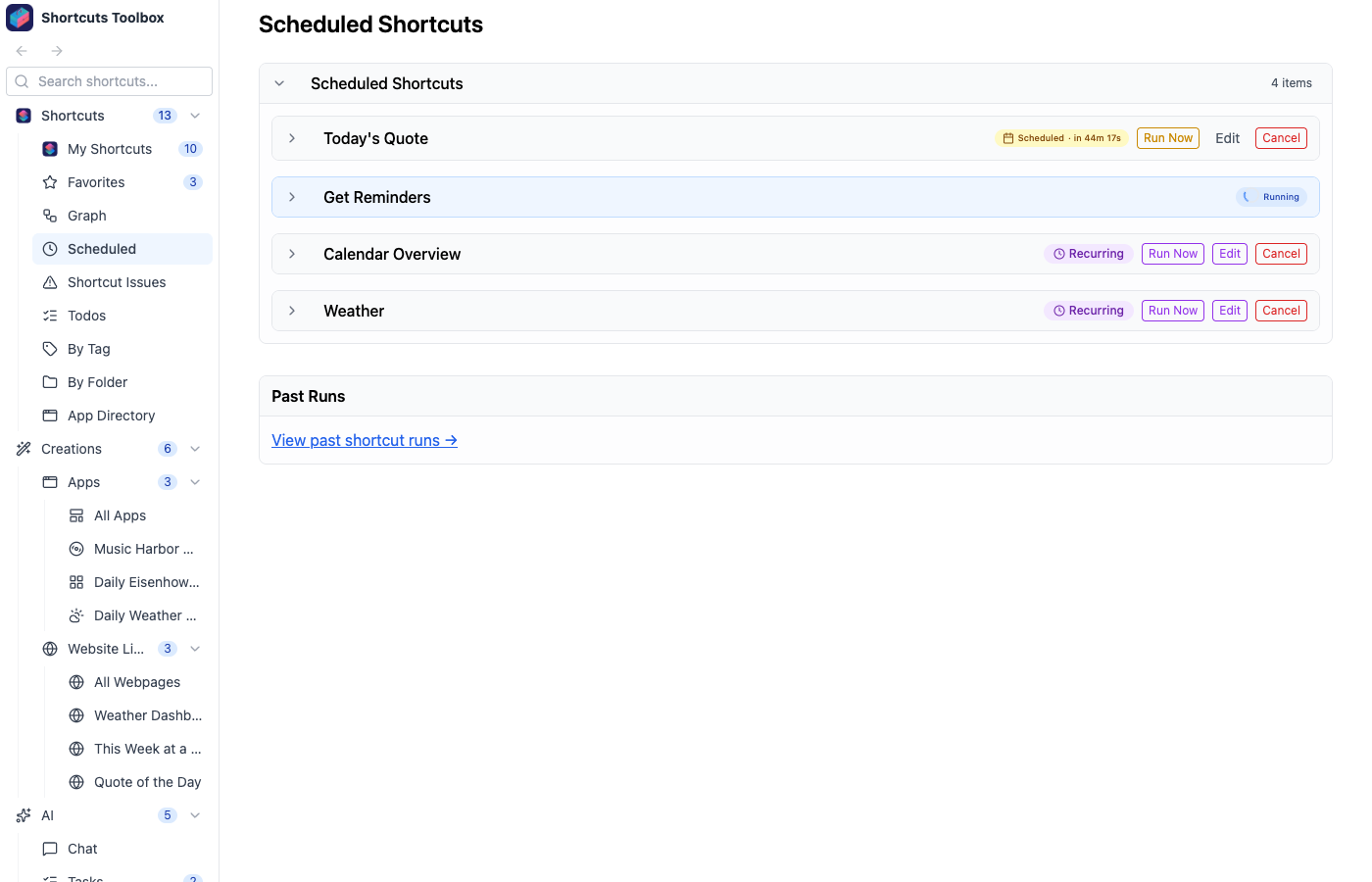
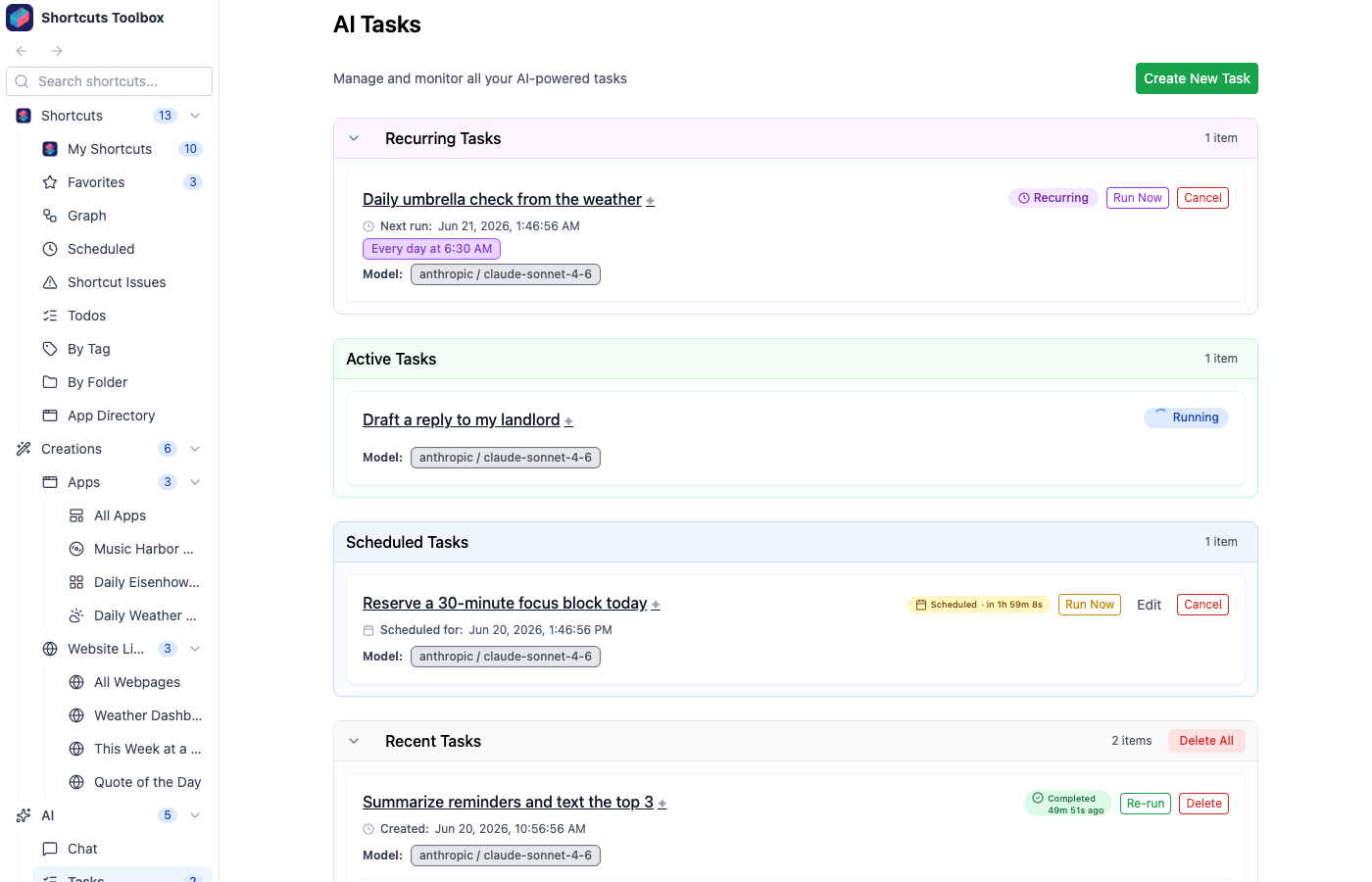
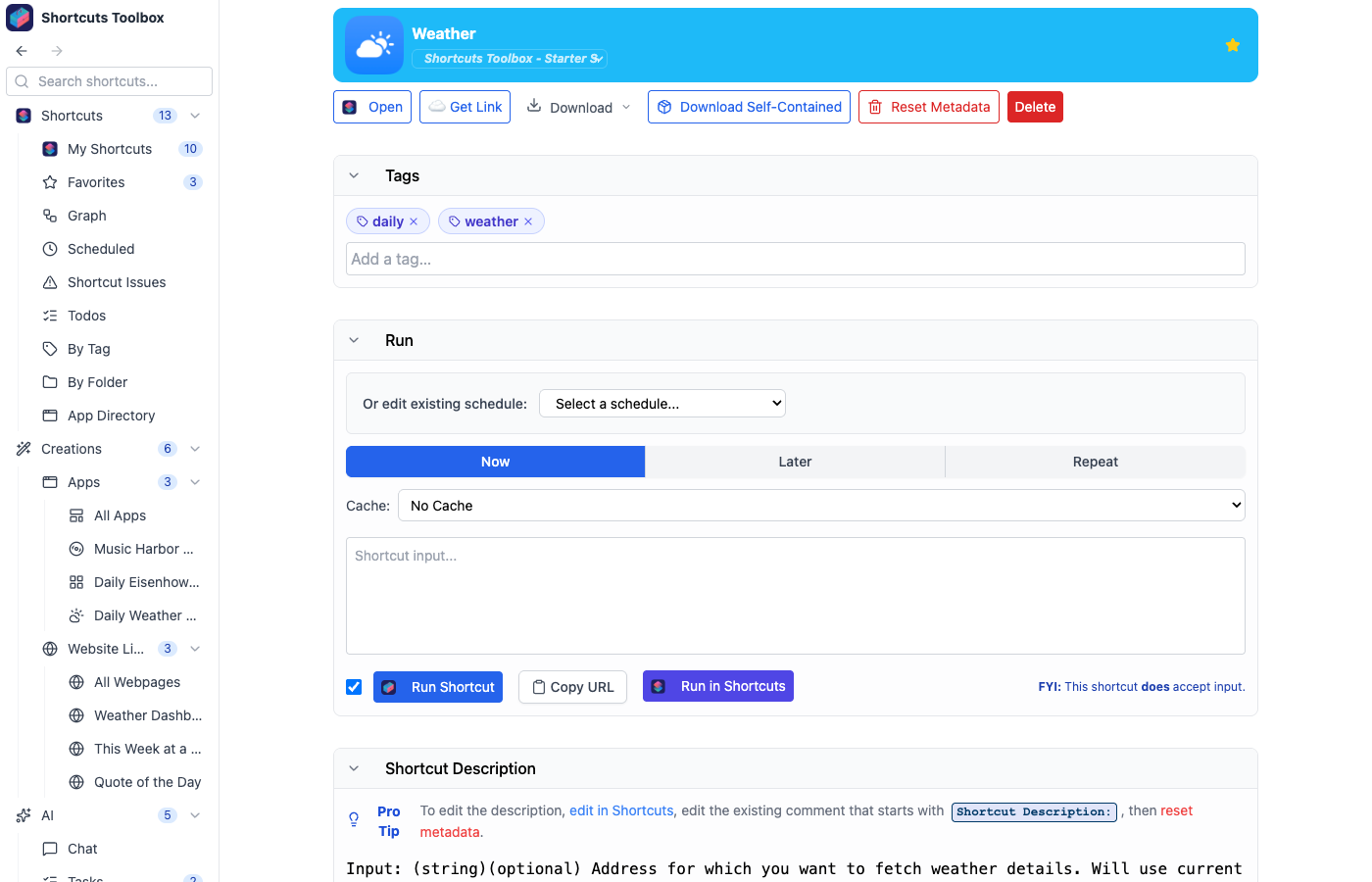
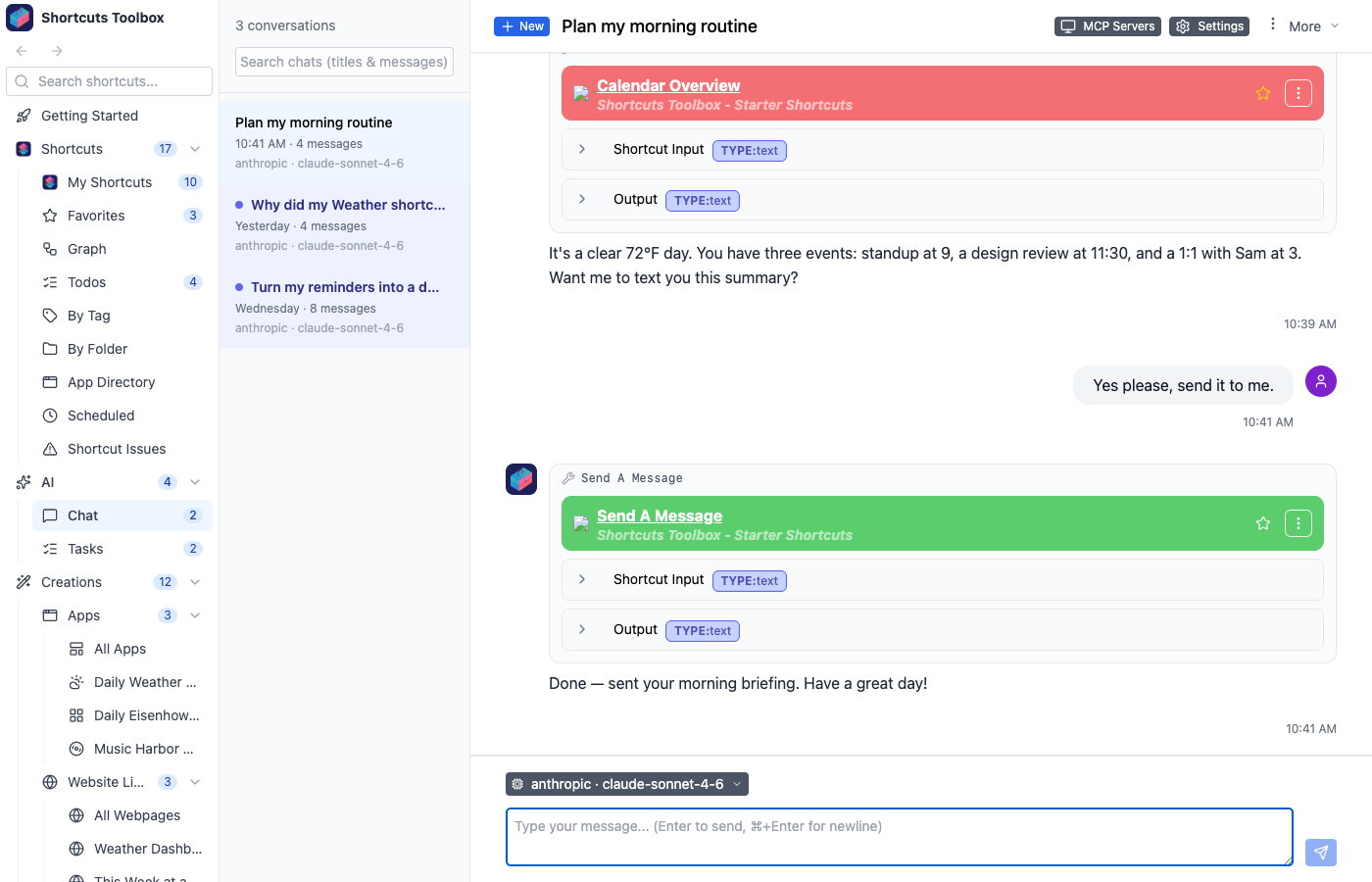
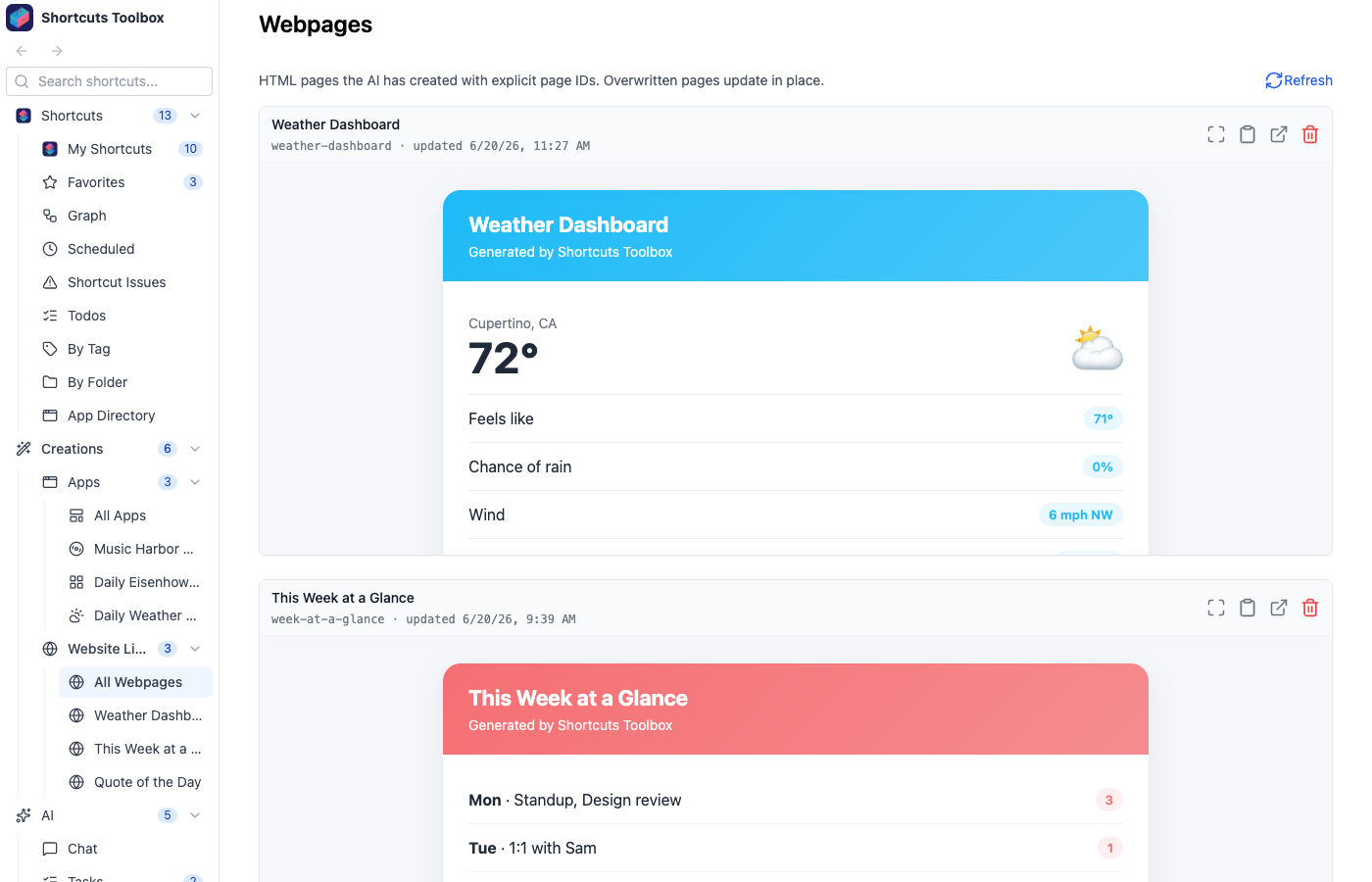
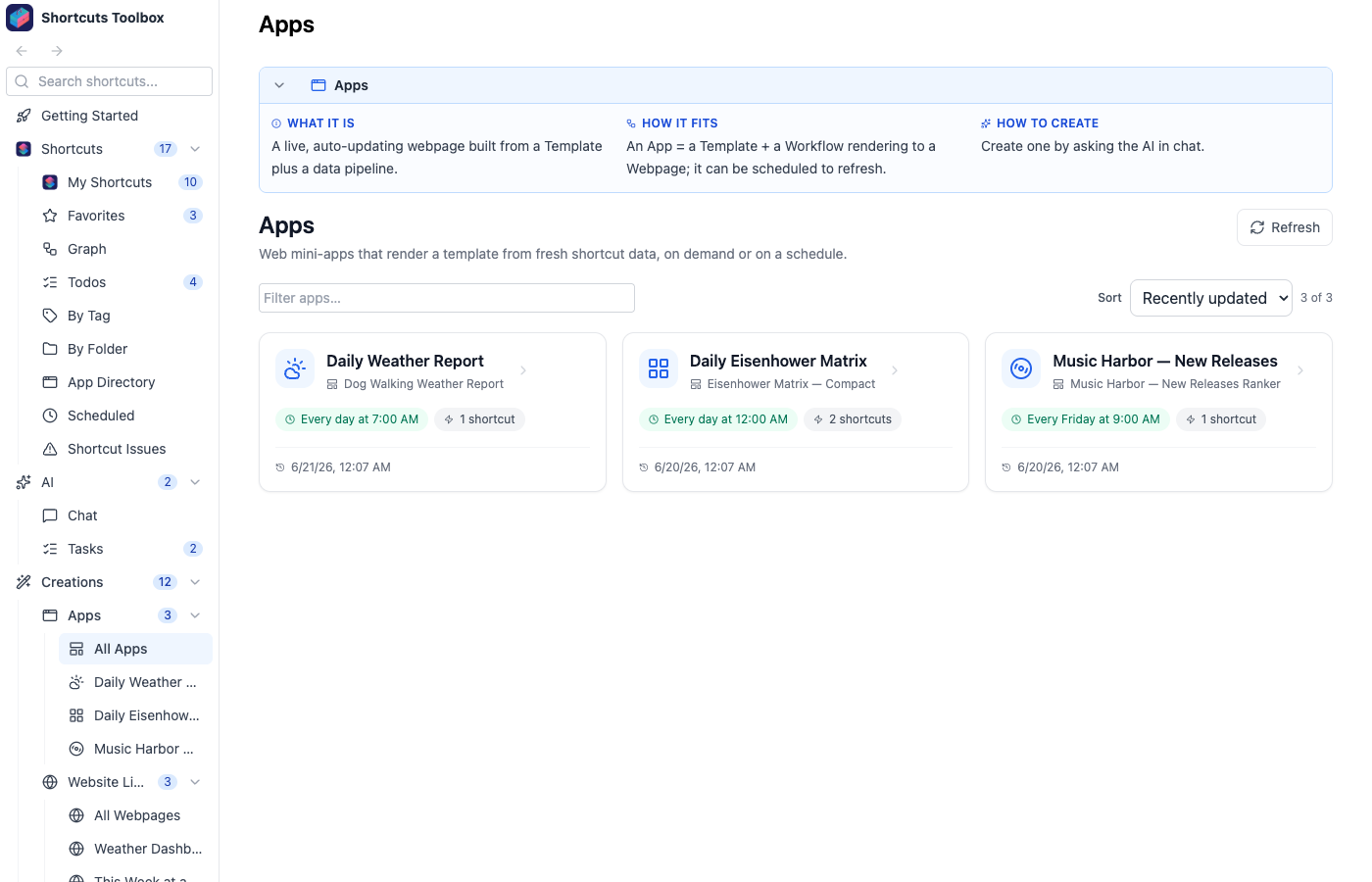
Your shortcut library, organized
Everything you need
A complete toolkit for managing and extending your Apple Shortcuts workflow
Dependency Graphs
Visualize your entire shortcut ecosystem. See which shortcuts call which, spot circular dependencies, find orphans, and understand app integrations — in one interactive graph.
Scheduling
Run shortcuts and tasks on cron schedules, human-friendly intervals (“every Monday at 3:45pm”), or a one-time delay. Pause, resume, and track full run history.
Self-Contained Downloads
Share complex shortcuts as a single file. Inline every dependency into one self-contained shortcut — no separate installs needed.
Shortcut Signing
Export signed .shortcut files that anyone can install — powered by Apple's own signing tool and applied automatically to downloads, backups, and self-contained shortcuts.
Shortcut Backups
Automatically back up your shortcuts on a schedule, with full metadata and folder structure preserved. Restore your whole library or a single shortcut anytime.
Fine-Grained Control
Decide exactly which shortcuts are visible, which can be run, and which keep their contents private — controlled per shortcut.
HTML Dashboards
Generate rich HTML reports, visualizations, and interactive dashboards — built automatically by AI, or via the API for your own workflows.
AI Chat Interface
Have natural conversations to run, analyze, and manage your shortcuts. Schedule tasks, run shortcuts, and understand your library in plain language.
Optional — add your own AI provider to unlock chat.
MCP Server
Expose your shortcuts to Claude, Cursor, and other MCP clients. Use your shortcuts as tools in any AI workflow.
Optional — pairs with any MCP-compatible client.
AI Apps & Templates
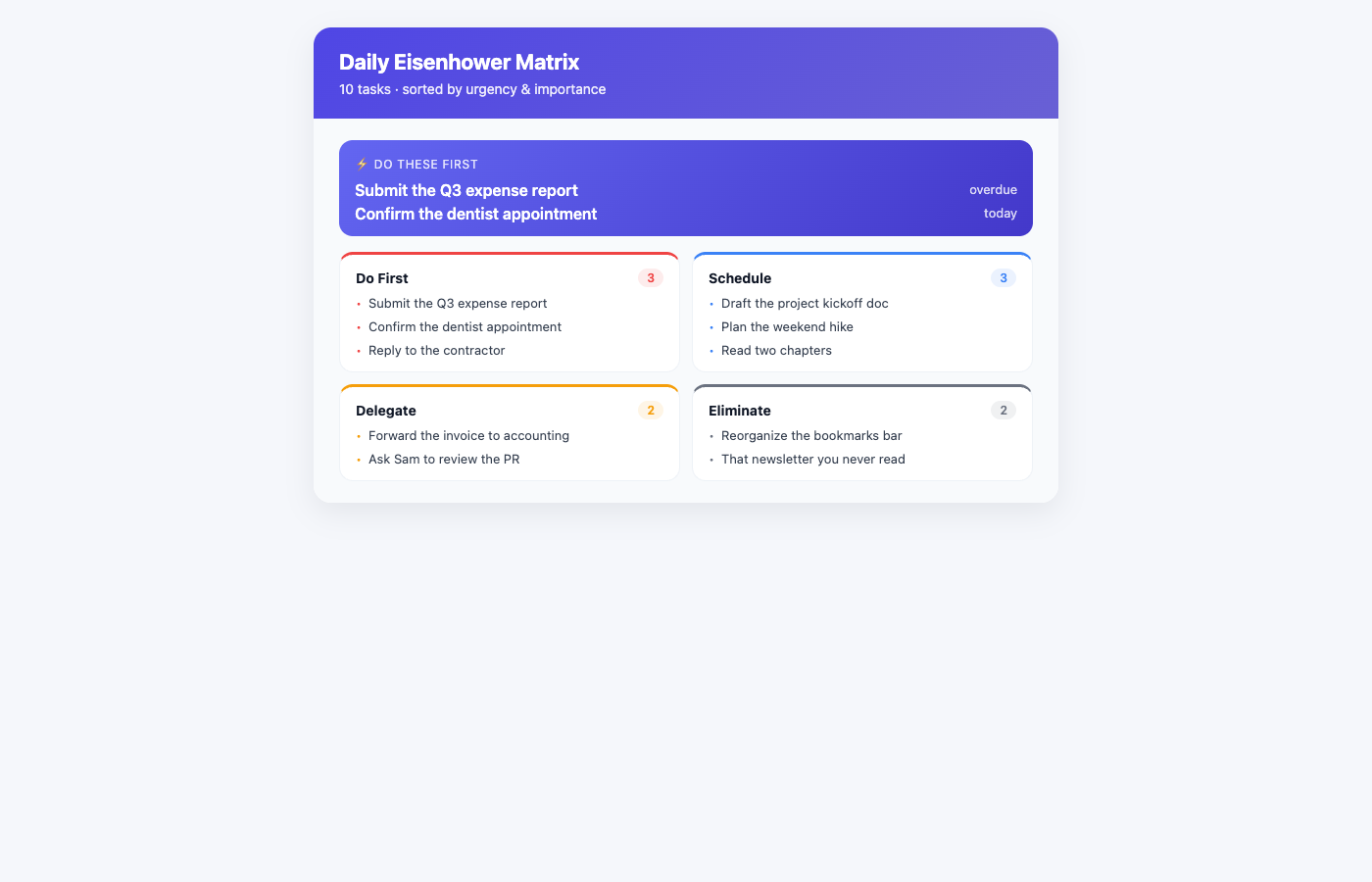
The AI turns your shortcuts into live, scheduled webpages — a reusable template plus a data pipeline that renders an interactive page, complete with one-tap shortcut buttons.
Optional — powered by your own AI provider.
Workflows
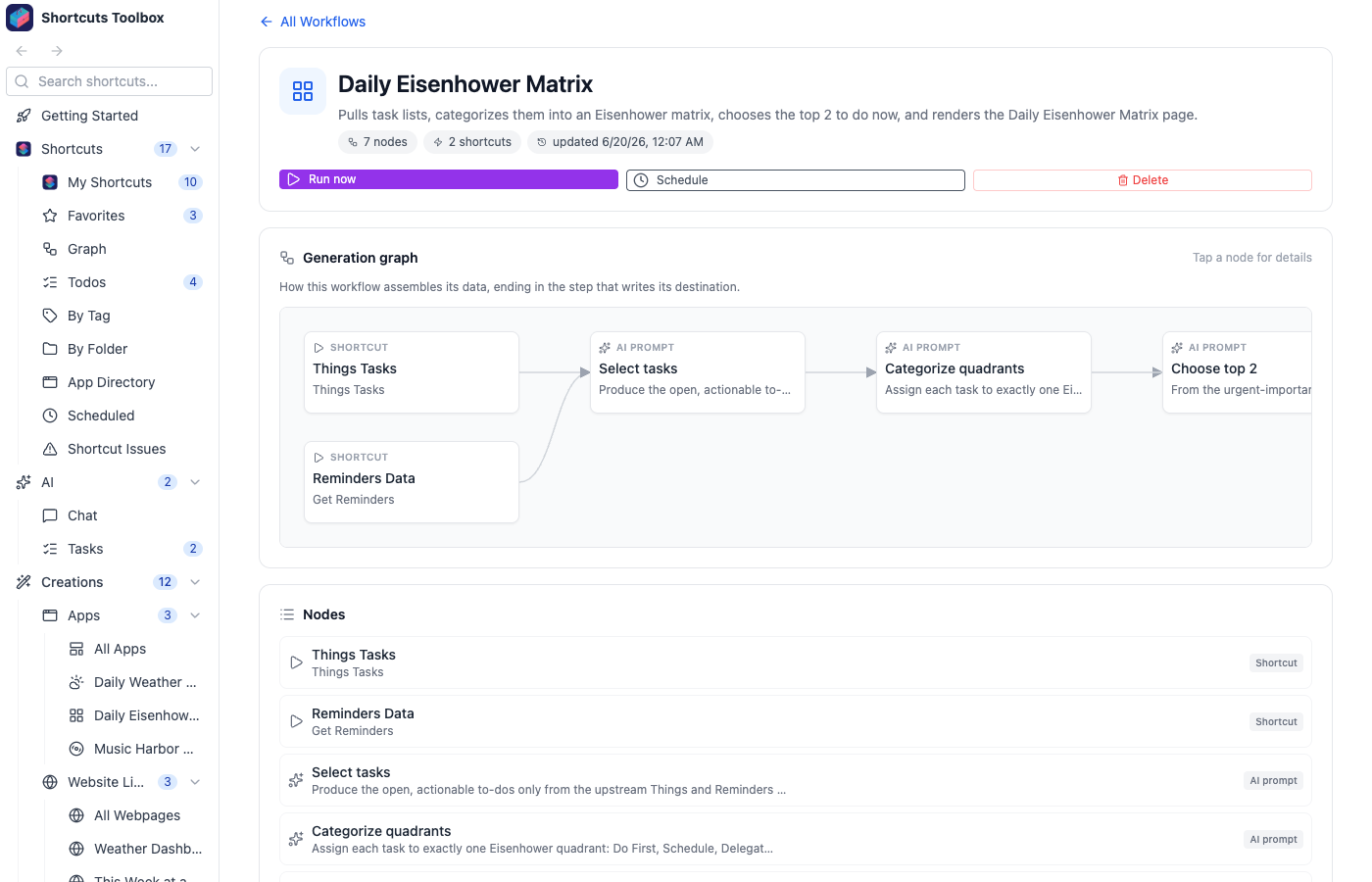
Every app is built from a workflow — a clear, step-by-step recipe that runs your shortcuts, optionally hands the results to AI to clean up or summarize, and passes everything along to build the finished page.
Favorites & Tags
Star the shortcuts you use most — synced server-side — and add your own tag chips to slice the library by tag or folder, cutting clean across Apple's folders.
Global Fuzzy Search
Find any shortcut, app, or generated page the instant you start typing. Forgiving, typo-tolerant matching surfaces what you meant — even when you forget the exact name.
App Launcher
A Home screen that puts everything one tap away — your shortcuts, every AI-built app, and chat, laid out as a clean grid of tiles so you can jump straight to what you need.
From shortcut to live webpage
Point the AI at your shortcuts and it builds an app that renders a real, scheduled, interactive page.
Template
The blueprint — a Handlebars layout plus a JSON schema that pins down exactly what data the page needs.
App
Template + data pipeline + schedule + shortcut buttons. It gathers its own data and refreshes on its own.
Webpage
The rendered output — a live, mobile-friendly page you open and actually use, always up to date.
Before handing an app to you, the AI validates its sample data against the schema, renders it, screenshots the result, and visually checks it — iterating until the page actually works.
Ready to supercharge your shortcuts?
Start with a free 14-day trial — no credit card required. Keep it with a one-time purchase. No subscription.