Backups & Restore
Your library is too valuable to lose to a bad edit or a deleted shortcut. Shortcuts Toolbox keeps automatic, scheduled backups of your entire configuration and shortcut data — and when you need to roll something back, the Restore browser lets you open any backup, look inside it, and import just the shortcut you want without overwriting everything else.
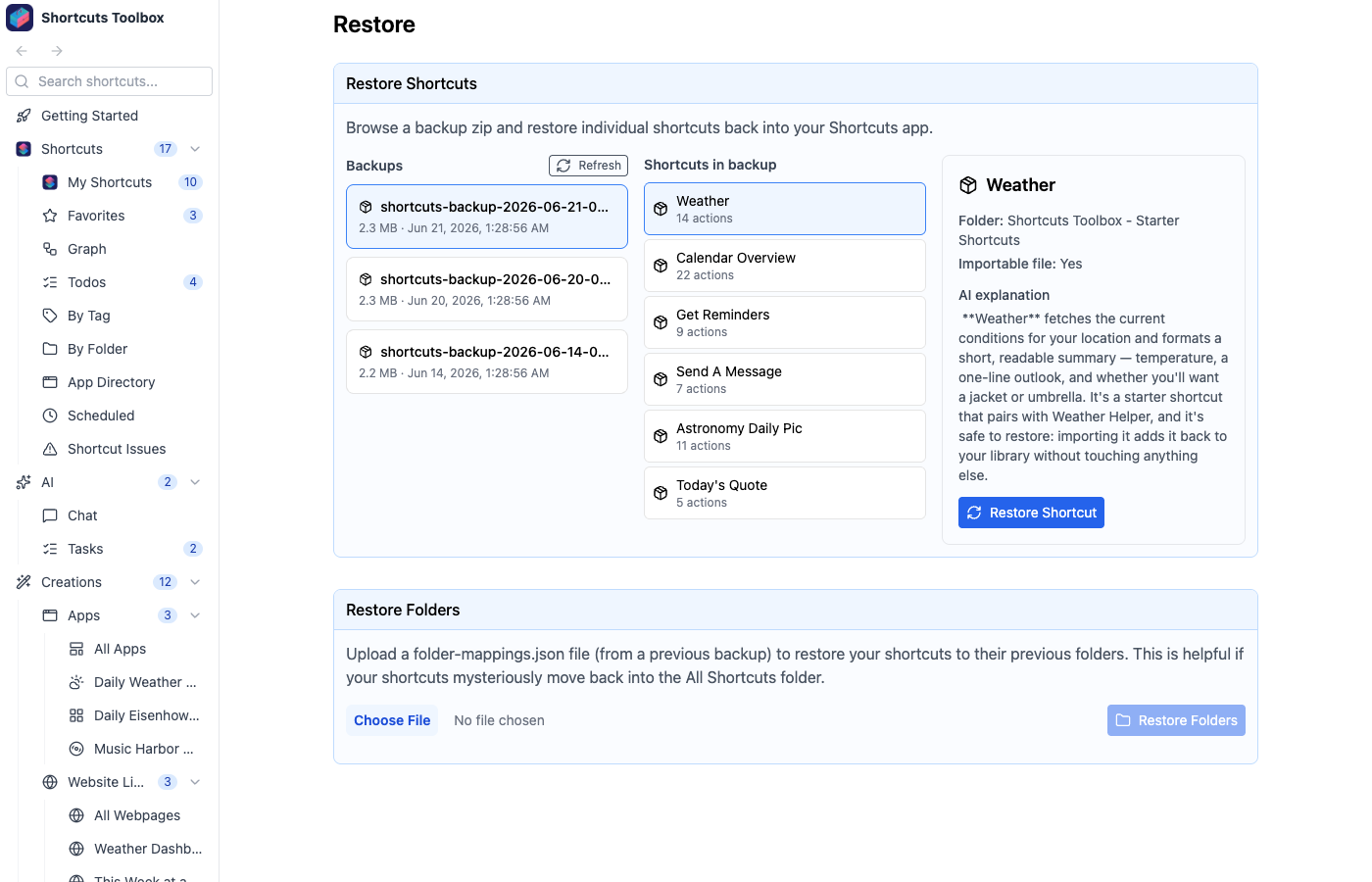
What gets backed up
Every backup is a self-contained zip archive capturing your shortcut metadata, descriptions, tags and favorites, scheduled jobs, and app configuration — plus a copy of each shortcut so it can be reconstructed later. Because each archive is complete on its own, any single backup is enough to bring you back to a known-good state.
Automatic scheduled backups
Set a cron interval and let the app archive your library on its own — nightly, hourly, or whatever cadence you choose. New backups run in the background with no interruption.
Manual backups
Trigger a backup at any moment with one click — ideal right before a big reorganization or a risky bulk edit.
Custom naming
Give a backup a memorable name so you can spot the right one later instead of guessing from a timestamp.
Download for off-site storage
Pull any backup archive down to your disk or cloud drive so you have a copy that lives outside the app.
Choose the backup folder
Point backups at any location on your filesystem — a synced folder, an external drive, wherever you keep your safety net.
Restore from a file
Upload any previous backup archive — including one you downloaded earlier — and bring it into the Restore browser.
Pair scheduled backups with the Scheduling system you already use for shortcuts — backups are just another job running on a cron interval, and every run is recorded in the Audit Log so you can confirm they happened.