Shortcut Issues
A broken dependency hides quietly until the day a shortcut actually runs and fails. The Shortcut Issues page audits your whole library up front and lists every shortcut with a detected problem — so you can fix it on your terms instead of discovering it mid-automation.
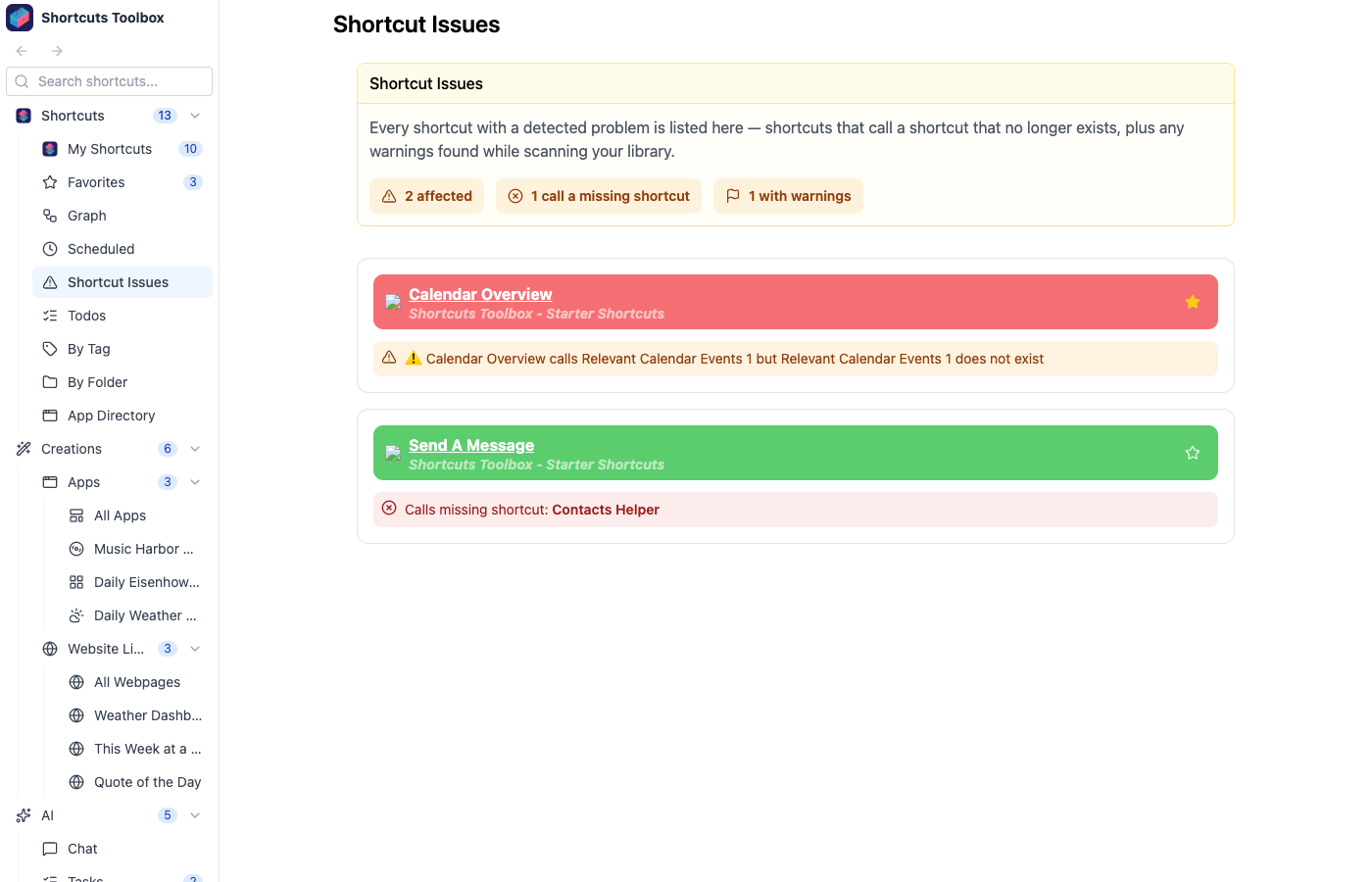
What gets surfaced
At a glance
The header summarizes the health of your library at a glance — how many shortcuts are affected in total, how many call a missing shortcut, and how many carry warnings — so you can tell whether everything is healthy without scrolling. Each flagged shortcut links straight to its detail page so you can jump in and fix it.
Shortcut Issues, Dependency Graphs, and Todos are three views of the same library health — what’s broken, how everything connects, and what you still meant to do.