Shortcuts Library
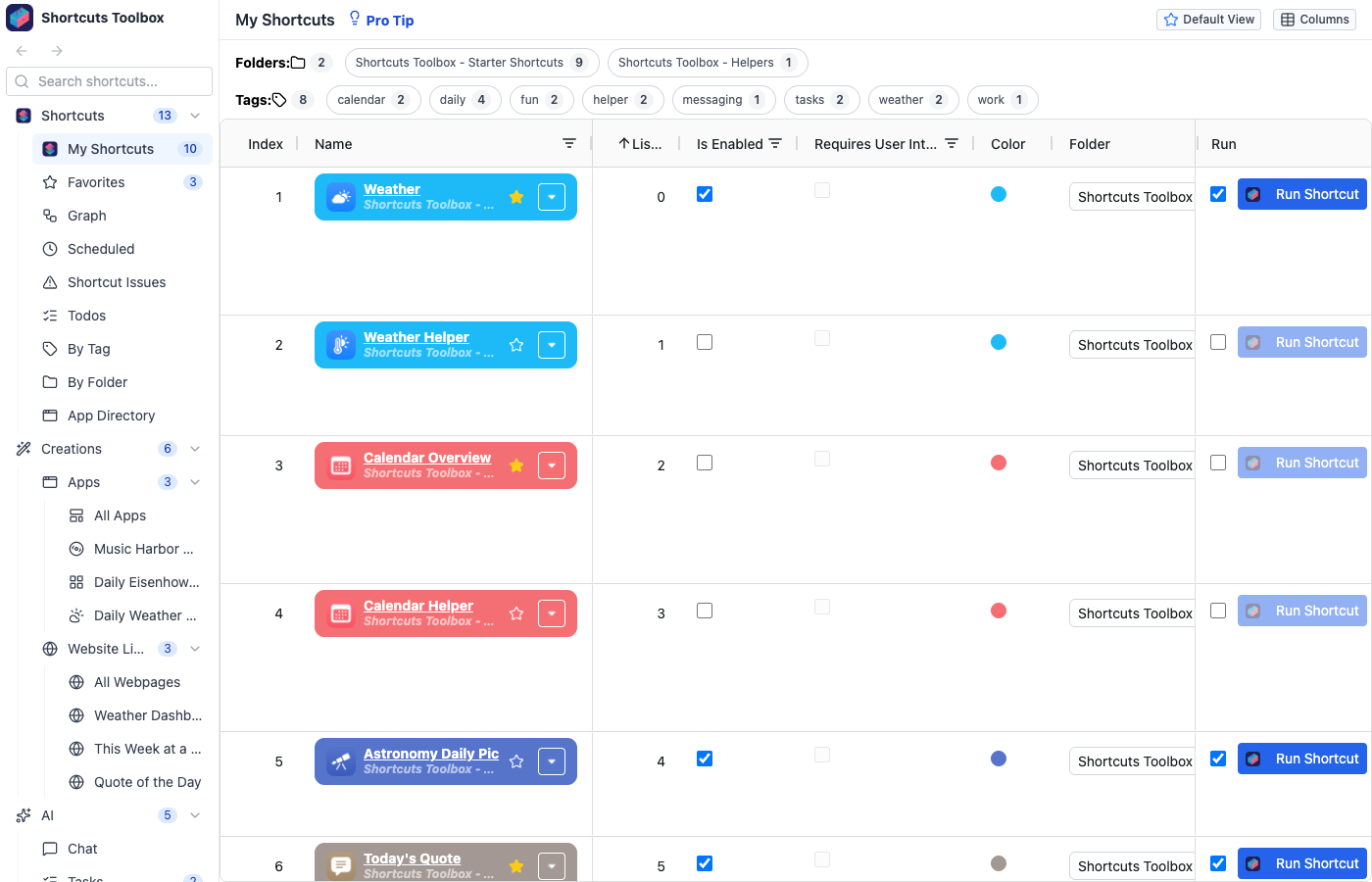
The Shortcuts Library provides a comprehensive table view of all your Apple Shortcuts. It’s your central hub for browsing, searching, and managing your shortcut library.
Key Features
- Searchable columns — Filter by name, folder, action count, or any metadata field
- Folder filtering — Quickly scope the view to specific shortcut folders
- Column picker — Customize which columns are visible in the table
- Saved views — Save custom column layouts, sort orders, and filters as reusable presets
- Active filters display — Always see which filters are applied at a glance
- Inline actions — Run shortcuts, open in Shortcuts app, view details, download backups, see dependency graphs, configure AI settings, and more — all from the table row
Every row links straight into Shortcut Management for a rich detail view. Slice your library other ways with the App Directory, Tags & Favorites, Saved Views, and Global Search.