Workflows
Every app is built from a workflow — a clear, step-by-step recipe for gathering and shaping the app’s data. Each step does one thing (run a shortcut, ask the AI to clean something up, combine results), and its output feeds into the next, until the finished page is ready.
The kinds of steps
How it runs
The steps are laid out in advance
A workflow is a fixed set of steps wired together — you can see exactly what it does, and it does the same thing every time it runs.
Each step waits its turn
A step only starts once everything it depends on has finished, and its result is passed along to the next step.
The page is assembled
The finished data is dropped into the app’s template to produce the live webpage.
Many small steps, not one giant prompt
When the AI builds an app, it breaks the job into a handful of small, focused steps that each do one thing — grab the raw data, sort it, pick what matters, then format it for the page. Because each step is checked on its own, if something goes wrong you can see exactly which step caused it instead of just getting a broken page.
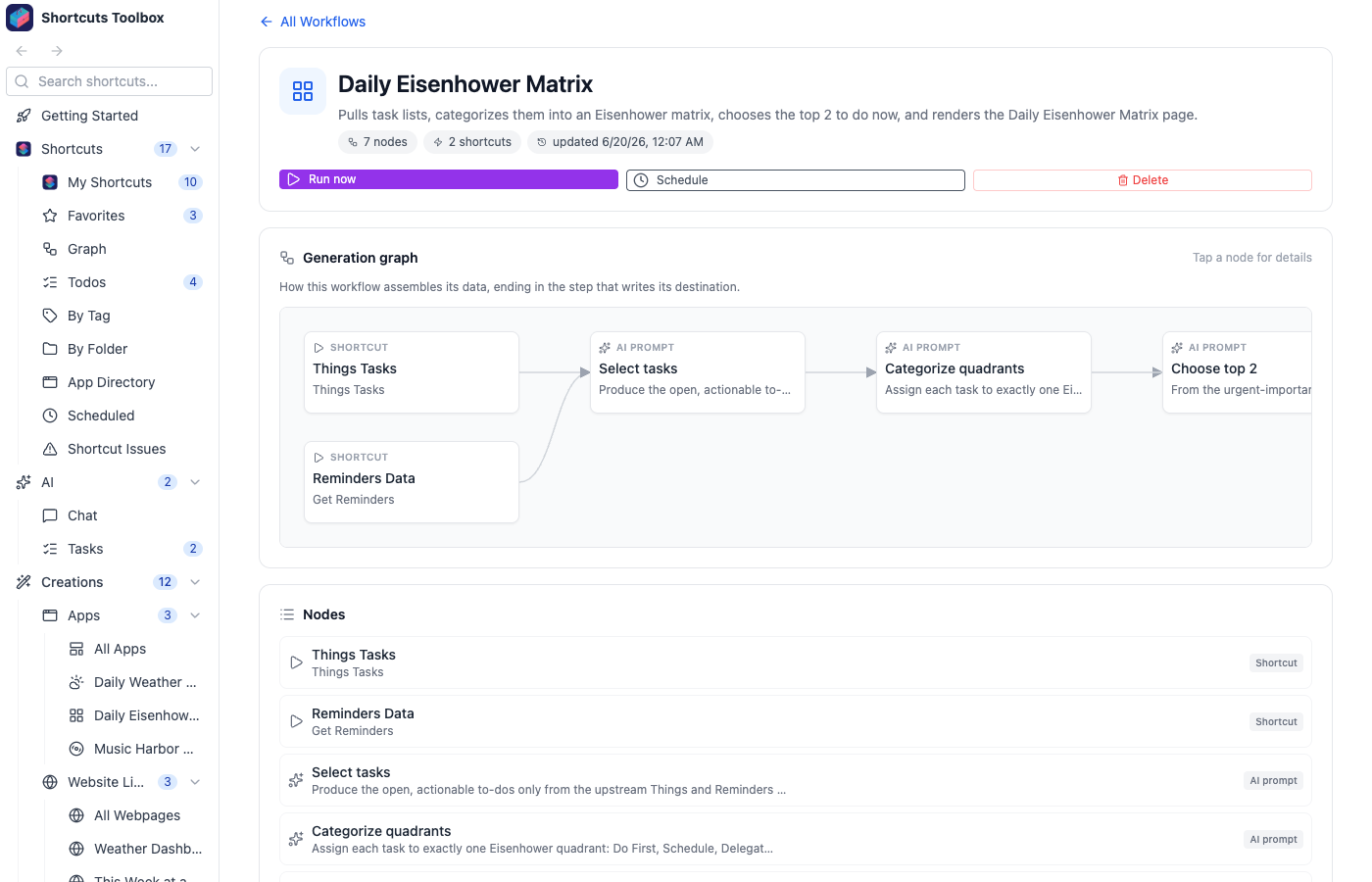
A daily Eisenhower matrix app, for example, becomes four small steps — pull your reminders → sort each into a quadrant → pick the top two to do now → format for the page — rather than one prompt trying to do everything at once. Smaller steps are easier to get right and easier to follow. See it in action on Example Apps.
The Workflow tab on any app shows its steps as a diagram — click any step to see what it runs, its instruction or shortcut, and the template it feeds. Every AI app you create from Apps & Templates runs one of these workflows.